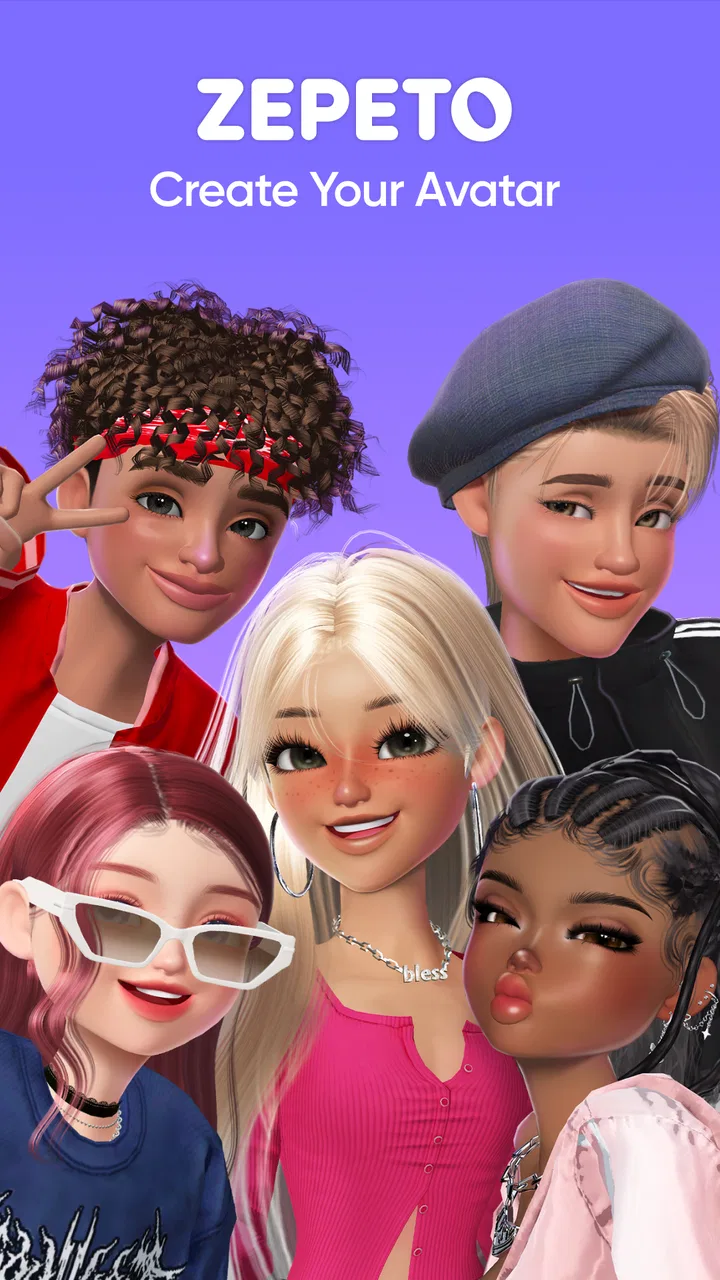
ZEPETO: Avatar, Connect & Live
- 4.6
- Rating
- 100.00M
- Installs
- Free
- Price

 Analysis by App-foxy
I first understood the appeal of ZEPETO when I imagined using it on a shared household device. It is not simply a collection of animated stickers or a conventional social network. It gives each person a customizable avatar, then builds an entertainment space around that character through visual expression, social interaction, and live-style content. That makes it easy to open for a few minutes, change an outfit, look around, and leave with something new to show someone else.
At the same time, a shared-device setting changes how I judge it. An avatar app can feel personal even when the phone or tablet belongs to everyone. Profiles, conversations, purchases, and social activity should therefore be treated as belonging to one individual at a time rather than casually passed between family members. My overall impression is positive, but I would use it with clear account boundaries and an age-appropriate conversation about online interaction.
How ZEPETO fits into everyday shared use
The app comes from Naver Z Corporation and sits in the entertainment category. Its central idea is straightforward: create and present an avatar that represents you. In practice, that gives the experience a more personal feel than browsing ordinary video feeds. Instead of only watching other people, I am encouraged to decide how my own character looks and how that character appears in social spaces.
In-Depth Coverage of ZEPETO: Avatar, Connect & Live
That distinction matters in a household. One person may enjoy styling and visual self-expression, while another may prefer exploring community content or watching live activity. ZEPETO can serve both interests, but it works best when each user has a separate identity. If several people repeatedly edit the same avatar, the app quickly becomes confusing: clothing choices no longer mean anything, social interactions may be misunderstood, and the account stops reflecting a single person.
I would not treat it like a traditional multiplayer game with a clear beginning, middle, and end. There is no need to sit down for a long session or complete a campaign. The appeal is closer to an ongoing digital hangout, where the avatar is the constant thread. That makes it suitable for short breaks, creative experimentation, and showing friends a new look, but less suitable for someone who wants a focused game with defined objectives.
A realistic household example would be a teenager using a family tablet after school. They might spend a short period adjusting their avatar, browse content, and then hand the device to a sibling. That routine can work if the teenager signs into their own account, checks out properly, and does not leave private conversations or purchase prompts open. Without that separation, a device that feels communal can accidentally expose personal activity or allow an unintended tap.
What makes the avatar more than decoration
The avatar is the practical center of the experience. It gives visual identity to actions that might otherwise feel anonymous, and it makes small creative decisions feel worthwhile. I found that the customization loop is strongest when I approached it as a form of self-presentation rather than as a hunt for a perfect final appearance. Trying different combinations is part of the entertainment.
One useful habit is to decide what you want the avatar to communicate before changing everything at once. A casual look, a dramatic look, and a deliberately unusual look can each serve a different purpose. This makes browsing more intentional and helps avoid spending too long making tiny changes that do not noticeably improve the result.
The trade-off is that visual customization can encourage repeated browsing. New items and expressive options are naturally tempting, especially when the app is used as a social space. I would set a personal stopping point before opening the wardrobe or related areas, particularly on a shared device where another person may be waiting. The experience is more enjoyable when it stays creative instead of turning into endless comparison.
Setting up separate use on a shared device
Because this is a social entertainment app, setup should begin with ownership rather than decoration. The person who will use the account should choose the account details, avatar style, and social identity. A parent or another household member can help with installation and general device settings, but I would avoid creating a shared personality that several people are expected to maintain.
The app is free to download and use, but it includes in-app purchases ranging from small amounts to substantially higher individual prices. That is the point where shared-device habits become especially important. I would not leave a payment method available for casual browsing by multiple people, and I would make sure everyone understands that an attractive item is not automatically a free item. The purchase range is broad enough that this deserves a direct conversation rather than an assumption that the app is harmless because installation costs nothing.
Another practical boundary is notification and screen privacy. If different people use the same phone, a notification can reveal that an account has received activity or a message. I would review the device’s notification behavior and avoid leaving the app open when handing the phone to someone else. This is not about making the experience secretive; it is about respecting the difference between a family device and a personal account.
The current version is 4.17.300, and the app supports Android 7.0 or later. That makes compatibility fairly broad for Android households, although the actual experience can still depend on the device’s available storage, performance, and connection quality. I would install it on the device that the intended user normally controls, rather than assuming an older shared handset will feel comfortable for a visually busy social app.
You May Also Like

 Lords Mobile: Kingdom Wars
Lords Mobile Is a Kingdom-Building Routine, Not a Quick Match
A case-by-case verdict on the building, battles, device demands, and social commitments that make Lords Mobile rewarding for some players and exhausting for others.

 PDF Scanner app - TapScanner
TapScanner Makes Paperwork Easier to Capture, Check, and Share
TapScanner makes scanning with a phone feel less like a rescue operation and more like a dependable step in getting work done. Its capture tools are useful, though not flawless.

 Block Blast!
Block Blast! Shows How Much a Puzzle Game Can Leave Out
A quiet grid game shows why puzzle players increasingly value instant clarity, repeatable skill and low-pressure play—and where the genre still needs to catch up.

 Family Space
Family Space Review: A Shared Routine That Makes Family Life Easier
A parenting app earns its place not by adding more noise, but by making everyday coordination easier. Family Space gets that balance mostly right.

 1Weather Forecasts & Radar
1Weather Forecasts & Radar Makes the Daily Check Worthwhile
A good forecast does more than predict rain. This week's pick turns changing conditions into a clear, practical reason to check before you step outside.

 Clash of Clans
Clash of Clans Makes Patience Part of the Strategy
A village builder with a sharp tactical core, Clash of Clans turns patience into momentum and each raid into a small, satisfying act of judgment.
More From Our News Desk
View All News


Coordinating without turning the app into a family project
Coordination is useful when it protects time, privacy, and spending. It becomes unhelpful when every avatar choice needs approval. I would agree on a few simple household rules: use the correct account, ask before making a purchase, and do not hand over a device while another person’s private activity is visible. Those rules are enough to prevent most avoidable confusion without taking the fun out of customization.
For families sharing one tablet, a short handoff routine works well. Finish the current activity, return to a neutral screen, and let the next person sign in independently. If the device supports separate user profiles, those can add another layer of separation, but I would still treat the account inside the app as the important boundary. Device profiles and app identities are not the same thing.
I also found that coordination helps with attention. Since the app is designed for browsing and social discovery rather than a single fixed task, it is easy to continue longer than planned. A simple agreement such as “use it after homework” or “take turns for a set period” is more realistic than trying to control every minute. The goal is to keep the app as one entertainment option, not let it become the automatic activity whenever someone picks up the device.
There is a less obvious benefit to shared use when it is handled carefully: family members can exchange creative ideas without sharing one account. One person might suggest a color combination, another might help take a better avatar image, and a third might simply enjoy seeing the result. That preserves the social side of the app while keeping ownership and personal interactions separate.
Age context, trust, and sensible supervision
The content rating is Teen, so I would not position ZEPETO as a young-child app. That rating should shape the conversation before installation, especially because the experience involves identity, social activity, and content created or shared by users. A teenager may be perfectly comfortable with the visual style while still needing reminders about what not to reveal or how to respond to unwanted attention.
I would explain that an avatar is still connected to a real person. Avoiding personal details, recognizing uncomfortable conversations, and knowing when to stop responding are more important than choosing the right outfit. The app can look playful, but a playful appearance does not remove the need for ordinary online judgment.
Trust works better than silent inspection, but trust should not mean ignoring warning signs. I would ask the user to mention anything that feels pressuring, confusing, or unexpectedly persistent. I would also make it clear that asking for help will not automatically result in losing access. That kind of agreement is more likely to encourage early reporting than a rule that treats every social interaction as suspicious.
For adults using the app, the same advice applies in a different way. An avatar can separate online presentation from everyday identity, but it should not create a false sense of anonymity. I would be comfortable recommending it to someone who enjoys social creativity and understands that public-facing activity can still have consequences. I would be more cautious with anyone who dislikes managing boundaries in open online spaces.
How it compares with ordinary entertainment alternatives
Compared with a standard video platform, ZEPETO asks me to participate rather than only consume. A video app may be better when I want a quick, passive break with predictable controls. ZEPETO is more appealing when I want to create a look, express a mood, or interact through an avatar. That extra involvement is its strength, but it also means more decisions and more opportunities for distraction.
Compared with a conventional social network, the avatar gives the experience a softer, more playful identity. I do not need to present myself through ordinary photographs to enjoy the creative side. Still, the social dimension should not be underestimated. The visual style changes the presentation, not the basic need for privacy and judgment.
Compared with a dedicated game, it offers less structure and a different kind of reward. Someone looking for levels, skill progression, or a clear competitive system may find it unfocused. Someone who enjoys styling, discovery, and social expression may find that the open-ended format is exactly the point.
That comparison also explains who should skip it. I would not recommend it to a person who wants a quiet offline activity, a tightly controlled family game, or a simple tool with no purchase layer. I would also avoid presenting it as a substitute for a private messaging service, because its entertainment identity does not remove the need to think carefully about social contact.
Small habits that improve the experience
My first practical tip is to treat avatar creation as an ongoing project with a few saved ideas in mind, rather than trying to buy or change everything immediately. Decide whether you are building a recognizable everyday style or experimenting with themed looks. This reduces impulse browsing and makes the customization feel more personal.
Second, separate “looking around” from “deciding to spend.” I would browse first, close the purchase path, and only return after deciding whether an item is genuinely worth it. This two-step approach is particularly useful on a shared device, where another person may interpret an open purchase screen as permission.
Third, use handoffs as privacy checks. Before another household member takes the device, return to a non-personal screen and confirm that the correct account is active. It takes only a moment, but it prevents the common mistake of one person continuing another person’s session.
Fourth, remember that the avatar is a communication tool. A carefully chosen look can make a profile feel consistent, while constant random changes can make it harder for friends to recognize the account. I prefer experimenting in stages: adjust one visual idea, see how it feels in context, and then decide whether the rest of the style needs to change.
Finally, keep the app in proportion. Its open-ended design is enjoyable precisely because it does not demand a large commitment. If I notice that browsing has replaced every other activity, I would close it and return later. The app works best as a flexible creative break, not as something that must fill every spare moment.
My household verdict
ZEPETO has a strong identity as an avatar-centered entertainment app. Its 4.6 average from around three million ratings and more than one hundred million installs show that the format has reached a very large audience. Those figures do not make it right for everyone, but they match my experience: the concept is easy to understand, visually engaging, and broad enough to support different kinds of users.
I like it most for teenagers and adults who enjoy self-expression, virtual styling, and social discovery. I would recommend it to a household that can maintain separate accounts, discuss spending clearly, and treat the Teen rating seriously. The free entry makes trying it easy, while the range of optional purchases means the household should decide its boundaries before browsing becomes routine.
I would skip it for young children, people seeking a fully private or offline experience, and anyone who dislikes open-ended social entertainment. I would also choose a conventional video app for passive viewing, or a structured game for goal-driven play. ZEPETO is not better than those alternatives in every situation; it is simply aimed at a different kind of engagement.
My final advice is to install it for the person who actually wants an avatar-based social experience, not merely because it is popular. Give that person a distinct account, establish a clear purchase rule, and make handoffs deliberate on shared hardware. With those boundaries in place, the best part of ZEPETO is the freedom to experiment without needing a long session or a fixed objective. It feels most rewarding when the avatar remains a creative extension of the user, rather than becoming a source of household confusion.
FAQs for ZEPETO: Avatar, Connect & Live
01What is ZEPETO, and how does it work?
ZEPETO is an interactive social networking app that allows you to create a 3D avatar that resembles you. You can customize your avatar with various outfits, accessories, and hairstyles. The app also offers virtual worlds where you can interact with friends, participate in events, and explore unique environments. It’s a blend of social media and gaming, offering a dynamic way to connect with others.
02Is ZEPETO safe for children and teens?
ZEPETO has safety features in place, such as privacy settings and reporting tools, to create a safer environment for users. Parents should be aware of the social aspects of the app, where users can chat and interact with others. It’s important to monitor younger users and ensure they understand online safety, as with any social platform.
03How much does ZEPETO cost, and are there in-app purchases?
ZEPETO is free to download and use, but it offers in-app purchases. These purchases include currency for buying clothes, accessories, and other items to enhance your avatar and experience. Prices vary, and while the app can be enjoyed without spending money, purchasing items can enhance gameplay and customization options.
04What devices is ZEPETO compatible with?
ZEPETO is available for both Android and iOS devices. It requires a stable internet connection to function properly, as it involves online interactions and downloads. Ensure your device meets the app’s system requirements, which are typically outlined in the app store, to enjoy a smooth experience.
05Can I connect ZEPETO to other social media accounts?
Yes, ZEPETO allows you to link your account with other social media platforms, such as Instagram and Facebook. This feature helps you find and connect with friends who are also using the app. It also offers easy sharing of your avatar’s photos and videos across different social networks, enhancing your online presence.
Pros
- Highly customizable avatars for unique expressions.
- Interactive social features enhance connectivity.
- Regular updates with new items and events.
- Supports multiple languages for global users.
- User-friendly interface for easy navigation.
Cons
- Can be data-heavy
- affecting performance on older devices.
- In-app purchases can become costly.
- Requires a stable internet connection.
- Privacy concerns with personal data sharing.
- Limited offline functionality.

ZEPETO: Avatar, Connect & Live
Gallery